
Blog for WordPress Posts: Here’s Everything You Need to Know
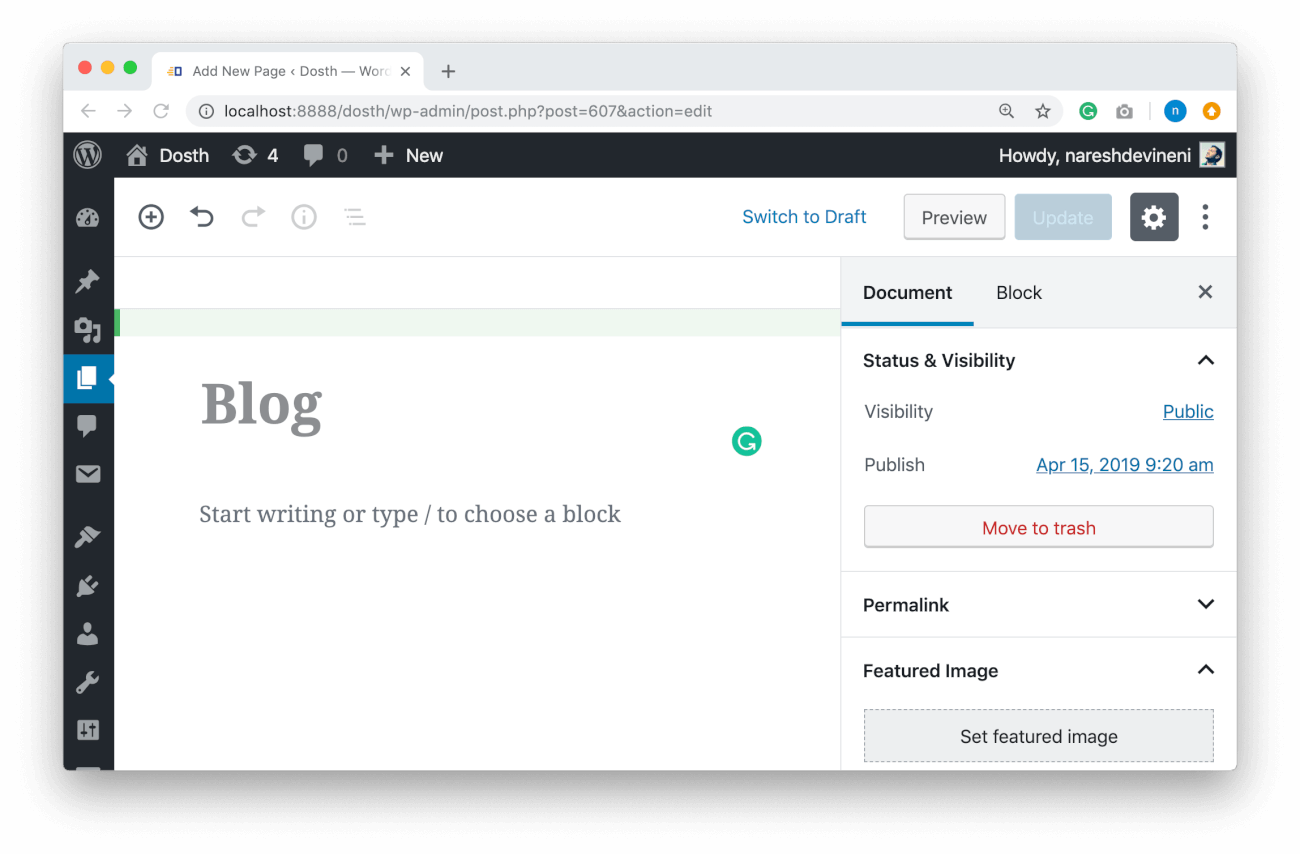
Blog for WordPress Posts can be an exciting and rewarding venture. Whether you’re creating a personal blog, a business site, or a niche-specific blog, WordPress is one of the most user-friendly platforms available for publishing your content. This guide will walk you through everything you need to know about creating and managing WordPress posts.
What is a WordPress Post?
In WordPress, posts are the core content type that you’ll use to publish articles, news, updates, or any time-sensitive content. Posts are typically displayed in reverse chronological order, meaning the most recent post will appear first. These are usually categorized and tagged for easy organization and searchability.
Key Features of WordPress Posts:
- Timely Content: Ideal for blogs, news articles, and updates.
- Categorization and Tagging: Organize posts for better navigation.
- Comment Section: Allow interaction with readers.
- RSS Feeds: WordPress posts are included in RSS feeds, which means your readers can subscribe to your content.
How to Create a WordPress Post

Creating a post in WordPress is a simple process that doesn’t require any technical expertise. Here’s a step-by-step guide:
Step 1: Log in to Your WordPress Dashboard
Start by logging into your WordPress site by entering your username and password.
Step 2: Navigate to the Posts Section
Once logged in, you’ll land on your WordPress dashboard. To create a new post, hover over the “Posts” section in the left-hand sidebar and click on “Add New.”
Step 3: Create Your Post
Now, you’ll be on the post editor screen. Here’s how to fill out each section:
- Title: Add a catchy and descriptive title for your post.
- Content: Write your content in the main editor area. You can use the block editor to add different elements like paragraphs, images, quotes, videos, and more.
- Categories: Assign your post to one or more categories to help organize your content.
- Tags: Add relevant tags that describe the content. Tags help in content discovery on your site.
- Featured Image: Add a featured image to make your post more visually appealing.
Step 4: Formatting Your Post
WordPress provides an easy-to-use editor with a range of formatting tools. Some of the key options include:
- Bold, Italics, Underline: Emphasize important points in your post.
- Lists: Use bullet points or numbered lists for better readability.
- Hyperlinks: Add external or internal links.
- Text Alignment: Align your text left, center, or right for better layout control.
Step 5: Preview and Publish
Before publishing your post, it’s always a good idea to preview it. Click the “Preview” button to see how the post will appear on your website. Once you’re happy with the content and formatting, hit the “Publish” button to make it live.
Blog for WordPress Posts – Optimizing WordPress Posts for SEO
SEO (Search Engine Optimization) is crucial for getting your posts noticed by search engines like Google. Here are a few best practices to follow:
1. Use Keywords
Incorporate relevant keywords throughout your post, especially in the title, headings, and the first 100 words of your content. Don’t overstuff, but use them naturally.
2. Write Compelling Meta Descriptions
Meta descriptions are short summaries that appear in search results. While WordPress automatically generates meta descriptions, it’s better to customize them for better click-through rates.
3. Add Internal and External Links
Link to other relevant pages on your site (internal links) and credible external websites (external links) to improve your post’s SEO.
4. Optimize Images
Make sure your images are compressed to reduce loading times. Add alt text that describes the image and includes keywords.
5. Use Headings Properly
Using headings (H1, H2, H3) not only makes your post easier to read, but it also helps search engines understand the structure of your content.
Promoting Your WordPress Posts
Publishing your post is just the beginning. To maximize reach, you’ll need to promote it. Here are some strategies to help:
1. Share on Social Media
Post links to your blog on social media platforms like Facebook, Twitter, LinkedIn, Instagram, and Pinterest. You can even schedule posts using plugins like Jetpack or tools like Buffer and Hootsuite.
2. Engage with Your Audience
Respond to comments on your blog and social media. Engaging with your audience helps build a loyal readership.
3. Build an Email List
Encourage visitors to subscribe to your newsletter. Use plugins like Mailchimp to build and manage your email list. Email marketing can help drive traffic to your posts.
4. Use SEO to Drive Traffic
Optimize your posts for SEO and share them with relevant communities or forums to generate organic traffic.
WordPress Post Plugins You Should Use
WordPress offers a variety of plugins that enhance the functionality of posts. Here are a few plugins you might want to consider:
- Yoast SEO: One of the best SEO plugins for optimizing your posts.
- Jetpack: A powerful plugin that adds features like social media sharing, analytics, and more.
- Akismet: Helps prevent spam comments on your posts.
- WPForms: Allows you to create custom contact forms and other forms for your posts.
- Pretty Links: Helps manage and shorten URLs for easy sharing.
Final Thoughts
Blogging on WordPress is a great way to share your thoughts, ideas, and expertise with the world. By following the steps above to create and manage posts, optimizing your content for SEO, and promoting your work through various channels, you can grow your blog and attract a dedicated audience.
Whether you’re just starting or you’ve been blogging for years, WordPress provides all the tools you need to succeed in the world of online content creation. Happy blogging!