
How to Protect Your WordPress Against Brute Force Attack – Protecting your WordPress site against brute force attacks is crucial for maintaining its security. Here are some effective strategies you can implement:
1. Use Strong Passwords
- Ensure that all user accounts, especially admin accounts, use complex passwords that include a mix of letters, numbers, and symbols.
2. Limit Login Attempts
- Use a plugin like Limit Login Attempts Reloaded or WP Brute Force Login Protection to restrict the number of login attempts from a single IP address.
3. Implement Two-Factor Authentication (2FA)
- Enable 2FA for all user accounts. Plugins like Google Authenticator or Two Factor Authentication can help set this up.
4. Change the Default Login URL
- Change the login URL from
/wp-adminor/wp-login.phpto something unique using a plugin like WPS Hide Login.
5. Install Security Plugins
- Use comprehensive security plugins such as Wordfence, iThemes Security, or Sucuri to add multiple layers of protection.
6. Use CAPTCHA on Login Forms
- Implement CAPTCHA on your login forms to prevent automated bots from attempting to log in.
7. Limit User Access
- Only create user accounts that are necessary and assign the least amount of access needed. Avoid using the admin role for everyday tasks.
8. Keep WordPress Updated
- Regularly update WordPress core, themes, and plugins to ensure you have the latest security patches.

How to Protect Your WordPress Against Brute Force Attack
9. Monitor User Activity
- Use plugins that log user activity to keep track of any suspicious behavior.
10. Implement a Web Application Firewall (WAF)
- Consider using a WAF to block malicious traffic before it reaches your site.
11. Regular Backups
- Maintain regular backups of your website so you can restore it in case of a successful attack.
12. Restrict Access to wp-admin
- Use IP whitelisting to limit access to the admin area to specific IP addresses.
13. Disable XML-RPC
- If you don’t use XML-RPC for remote connections, consider disabling it to reduce exposure to attacks.
14. Check for Vulnerabilities
- Regularly scan your website for vulnerabilities using tools or plugins that provide security assessments.
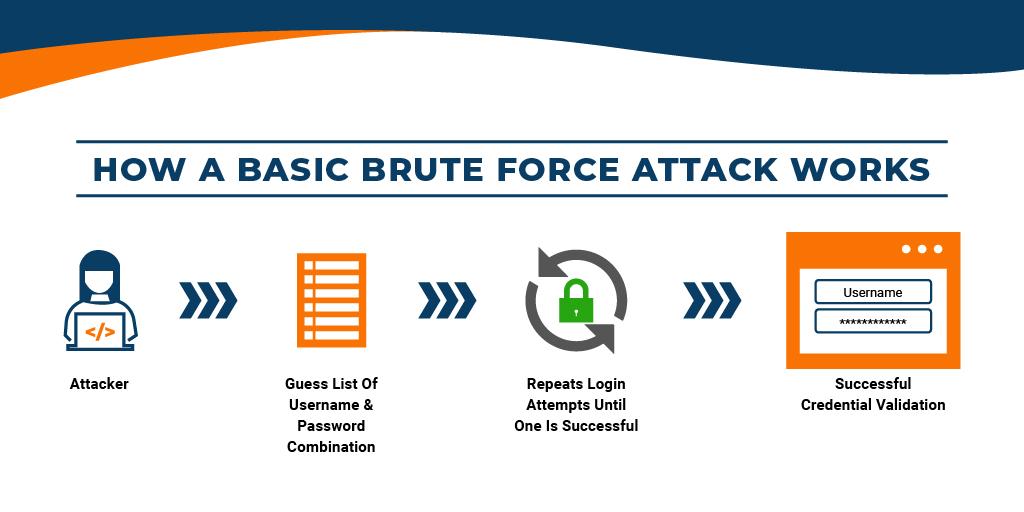
How to Protect Your WordPress Against Brute Force Attack
By implementing these strategies, you can significantly reduce the risk of brute force attacks on your Website. Regularly review and update your security practices to adapt to new threats.